What makes an event video get shared on LinkedIn?
People share event videos on LinkedIn when they are in a moment worth showing. The 4 moments to brief for, plus captions, the first 3 seconds, format and tagging.
People share an event video on LinkedIn when they, their team or their company appear in a moment worth showing: a reveal, a line from a speech, a reaction, the team together. The edit helps that along with a strong first 3 seconds, captions for sound-off viewing, a vertical or square shape for the feed and tags on everyone who appears.
This guide covers the 4 moments to brief your crew for, and the 4 choices in the edit and the post that decide whether anyone reshares it. It’s for marketing and events teams in Malaysia whose event film will live mainly on LinkedIn.
Why people share event videos at all
A share on LinkedIn is a small public statement. “I was there.” “My team did this.” “Our company is part of this.” Nobody reshares a wide shot of a ballroom, because there’s nothing in it for them to say.
So the question for the brief is: who will want to put their name next to this film, and which moment will they want to point at? Answer that before the event and the shot list follows from it.
The 4 moments people share
The reveal. A car under a cover, a product on a plinth, a curtain, a logo going up. It has a before and an after, which is why it works in a few seconds.
A speech line. One sentence from the CEO, the guest of honour or a panellist that says something specific. The speaker will share it, and so will their company. It needs clean audio, so it needs a mic.
A reaction. Faces in the room at the moment something happens. Applause, a laugh, a hand going to a mouth. Reactions are what make a film feel like an event instead of an advert.
The team moment. The organisers on stage at the end, the sales team with the new model, the stand crew after the last visitor leaves. These are the clips staff share with “proud of this team”. They need to be planned, because nobody gathers for a photo unless someone asks them to.
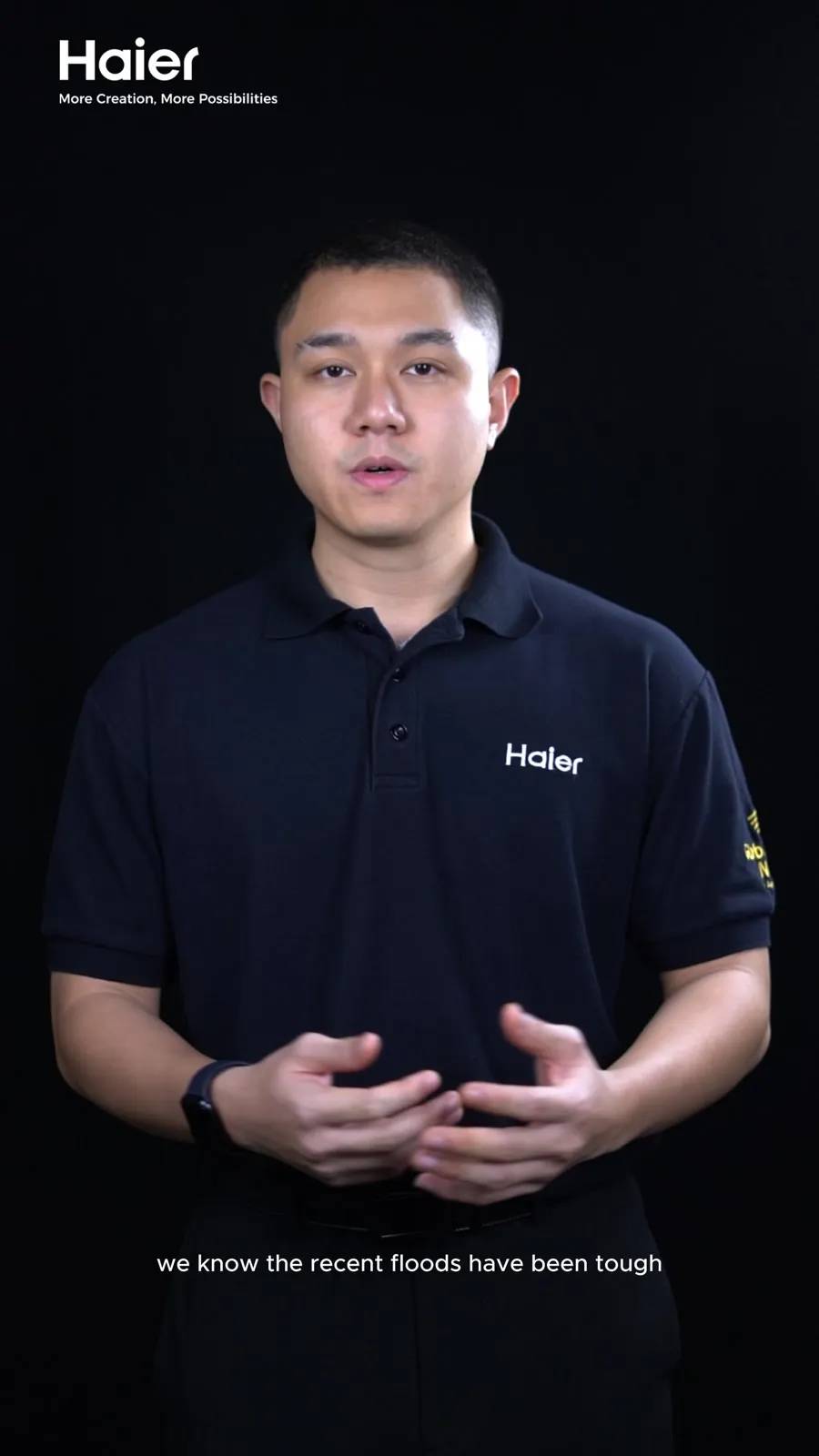
The Haier exhibition hall film from BCCK in July 2024 is built from team moments. The stand staff explain the products to visitors, and in one shot a staff member points up at a display while 2 visitors follow his hand. Those are the shots the people on the stand, and their managers, have a reason to share.
The Proton Supernau showroom opening in Kuching fits several of these into 18 seconds. The VIPs open the showroom at the podium while guests hold up their phones. The lion dance performs beside a new car. The film ends on the group on stage with the lion heads and the red scrolls, a shot we would expect everyone in it to post. It’s a vertical cut, made for the feed.
The first 3 seconds
LinkedIn’s creator tips, as reported by Social Media Today, tell creators to grab attention in the first 3 seconds as people scroll. LinkedIn’s ad specs go further and say to show the most impactful content in the first 10 seconds.
For an event film, that means opening on the moment, never on the venue exterior, a slow logo or a drone shot of the car park. Put the reveal, the speech line or the reaction first, and the context after. People who stay will learn where they are.
Captions and the sound-off feed
LinkedIn’s tips tell creators to add captions or subtitles. We assume the sound is off for most viewers in the feed, so a speech line without captions is a person moving their mouth.
Burned-in captions are the safe default for organic posts. For LinkedIn ads, captions go up as a separate SRT file. If your audience reads in more than one language, ask for BM, English or Mandarin caption versions. We cut those from the same shoot day.
The post caption matters too. Write 2 or 3 lines that say what happened and who was there, in plain words. Put the most important name in the first line, where people see it before they expand the post.
Vertical, square or horizontal on LinkedIn
LinkedIn’s video ad specs list 4 shapes: 16:9 horizontal, 1:1 square, 4:5 vertical and 9:16 vertical. Its creator tips say square and vertical formats are mobile-friendly and tend to perform better on the platform.
| Shape | Best use for an event |
|---|---|
| 9:16 or 4:5 vertical | The LinkedIn feed, Instagram, TikTok |
| 1:1 square | The LinkedIn feed when you want one file for every platform |
| 16:9 horizontal | Your website, YouTube, the screen at the next event, the sponsor report |
The Haier film from BCCK is horizontal, at 1:29. The Proton opening above is vertical. Decide which you need before the shoot, because a crew framing for both leaves room at the sides of each shot. Our guide on how long an event highlight video should be covers length by platform, and how long a speaker clip should be for LinkedIn covers single-speaker cuts.
Tagging the people in the film
Tag the speakers, the partner companies and the sponsors who appear. According to Contentin’s guide to LinkedIn mentions, a mentioned member gets an email and app notification, and the post may be shown to their network. In our view, that notification is the surest route to a reshare, because the person tagged sees themselves in the film.
Tag only people who appear in the film, or the tag reads as spam. Collect the names on the day as well: the correct spelling, the current title and the company page. The run of show and the speaker list are the best places to start.
What to do next
Before the event, list the 4 moments you want, the people who should be tagged and the shapes you need. That list is most of the brief. One event, 3 cuts explains how to ask for a social cut, a highlight and a full film in one quote, and the event highlight videos hub has the rest.
Then send us the date and a line on the job. We reply with a quote within 1 working day.
Questions people ask
What is a good length for a LinkedIn video?
For an event, 15 to 30 seconds for a single moment and 60 to 90 seconds for the highlight. LinkedIn recommends 15 to 30-second video ads so they qualify for every placement, and its tips reported by Social Media Today put even the deeper video ad formats under 2 minutes.
Is a 3 minute video too long for LinkedIn?
For an event highlight, usually yes. LinkedIn's own tips put even its deeper video ad formats under 2 minutes, and in our view a long event film loses people in the feed. Post a 60 to 90-second highlight on LinkedIn and link to the 3-minute film on your website or YouTube for the people who want the full speeches.
Should LinkedIn event videos be vertical or horizontal?
For the feed, vertical or square. LinkedIn's ad specs list 16:9, 1:1, 4:5 and 9:16, and its creator tips say square and vertical formats tend to perform better on the platform. Keep a horizontal version for your website, YouTube and screens at the next event. Ask for both in the quote so the crew frames for both.
Do LinkedIn videos need captions?
Yes. LinkedIn's own tips tell creators to add captions or subtitles, and it's safest to assume the sound is off. For organic posts, burned-in captions are the safe choice. For LinkedIn ads, captions are uploaded as an SRT file. If your audience is mixed, ask for BM, English or Mandarin versions from the same shoot.
Should I tag people in a LinkedIn event video post?
Tag the speakers, partners and sponsors who appear. A mentioned member gets an email and app notification, and the post may be shown to their network, according to Contentin's guide to LinkedIn mentions. Collect the correct names and company pages on the day, and only tag people who appear in the film.
Sources
- LinkedIn Help, Video ads advertising specifications (15 to 30 seconds, aspect ratios, impactful content in the first 10 seconds, SRT captions)
- Social Media Today, LinkedIn shares video creation tips (first 3 seconds, captions, square or vertical, video ads under 2 minutes)
- Contentin, What is a mention (tag) on LinkedIn (mentioned members are notified)